The Portal Roblox The Portal Controls Guide
PC and mobile bindings, HUD menus, and Settings paths for codes and account options.
Learning controls early in The Portal saves more time than grinding one extra berry stack. This Roblox MMORPG from The Box of Trolls Studio uses familiar movement bindings, but critical menus—especially Settings on the right and the Account tab for codes—sit where many players never look. Use this page as your binding reference, then return to Getting started for the day-one checklist.
PC controls
| Action | Default binding |
|---|---|
| Move | WASD |
| Camera | Right mouse drag |
| Basic attack / use equipped tool | Left click |
| Interact / talk / harvest | E (or on-screen prompt) |
| Jump | Space |
| Open Roblox escape menu | Esc |
| In-game Settings | Gear icon on the right HUD |
After updates, open Settings and confirm bindings still match your muscle memory. Patch notes on Release v1 occasionally mention UI moves.
Mobile controls
| Action | Touch control |
|---|---|
| Move | Left virtual stick |
| Camera | Swipe on empty screen space |
| Attack / skills | Right-side skill buttons |
| Interact | Tap floating prompt when near NPCs or nodes |
| Settings | Gear icon on the right |
Mobile players should meet the system requirements (about 8GB RAM + modern Snapdragon/Adreno) before blaming controls for laggy input.
Settings and Account tab (codes)
Promo codes are not on the Roblox website redeem page for this experience. In-game only:
- Finish the intro tutorial so the codes field unlocks.
- Tap the Settings gear on the right side of the HUD.
- Open the Account tab.
- Paste a case-sensitive string from the Codes Hub.
- Tap Claim and check inventory.
Full troubleshooting lives on How to redeem codes. Active rewards include 5KLIKES, THROUGHTHEPORTAL, RELEASE, 2KLIKES, and 1KLIKES.
Combat HUD basics
- Watch your health and mana/stamina-style resources before committing to elite pulls.
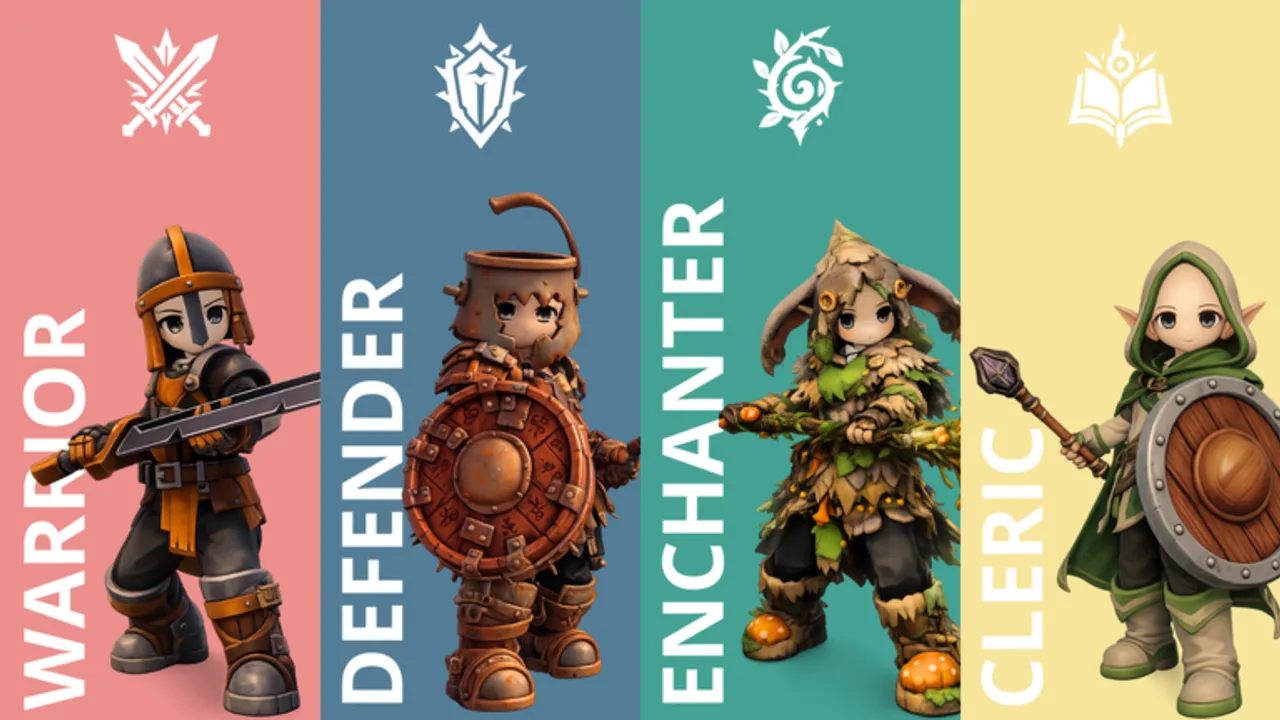
- Skill buttons light when off cooldown—Warrior melee buttons differ from Enchanter staff casts.
- Party frames appear when you group for content; see Party composition for role seats.
Farming and interaction prompts
Wheat, berries, scrap nodes, and fishing spots all use the same interact flow:
- Walk close until a prompt appears.
- Press E (PC) or tap the prompt (mobile).
- Wait for the channel or harvest animation—do not spam cancel.
Wheat quests fail when players skip till → water → plant → wait → harvest order. Details sit in Getting started and Main quests and side quests. Gathering tools from RELEASE are covered in Fishing and gathering.
Mobility items
The Wooden Glider from THROUGHTHEPORTAL is equipped like other tools—open inventory, equip, then use the interact/jump flow the tooltip describes. Full steps: How to get a Wooden Glider.
Accessibility tips
- Lower graphics in Roblox settings if camera drag feels delayed.
- Enlarge UI scale on mobile so the right-side Settings gear remains tappable.
- Remap only after you know default locations—otherwise code guides will not match your screen.
Common control mistakes
- Looking for codes under Roblox.com instead of the in-game Account tab
- Skipping the tutorial and wondering why the codes box is grey
- Holding attack through NPC dialogue and cancelling quests
- Ignoring interact prompts on wheat plots during race tutorials
Read Common mistakes for progression traps beyond bindings.
Related pages
- Getting started
- How to redeem codes
- System requirements
- Party composition
- Equipment and gear
- Official links
Practice route for new accounts
Spend your first ten minutes only on controls muscle memory. Walk a short loop near the tutorial exit, press E on every prompt, open Settings twice to find the Account tab, then close it without redeeming yet. After that warm-up, redeem codes from the Codes Hub and continue Getting started.
If camera drag feels sticky, lower Roblox graphics before blaming keybinds. Input lag on weak phones feels like broken controls even when bindings are correct—see System requirements.
Why this page exists
Many Roblox MMORPGs bury redeem menus. The Portal’s right-side gear icon is easy to miss beside skill buttons. Documenting controls separately keeps How to redeem codes focused on troubleshooting while this page stays the binding reference for PC and mobile players who search for The Portal controls or keybinds.
Frequently Asked Questions
Quick answers for The Portal players.
Where is the codes menu in The Portal?
Open Settings on the right side of the HUD, then choose the Account tab. Codes unlock only after the intro tutorial.
What is the interact key on PC?
Press E when a prompt appears near NPCs, wheat plots, gathering nodes, or quest objects.
Do mobile controls support every feature?
Yes for core play—movement stick, skill buttons, and the right-side Settings gear. Meet the 8GB mobile recommendation for smoother input.
Can I rebind keys?
Check in-game Settings after each patch. Keep defaults until you finish the tutorial so wiki menu paths still match your HUD.